The MediaHeat News Reader now has a cleaner toolbar, three layouts, adjustable type, stronger filters, clearer paywall labels and a complete read/unread workflow.
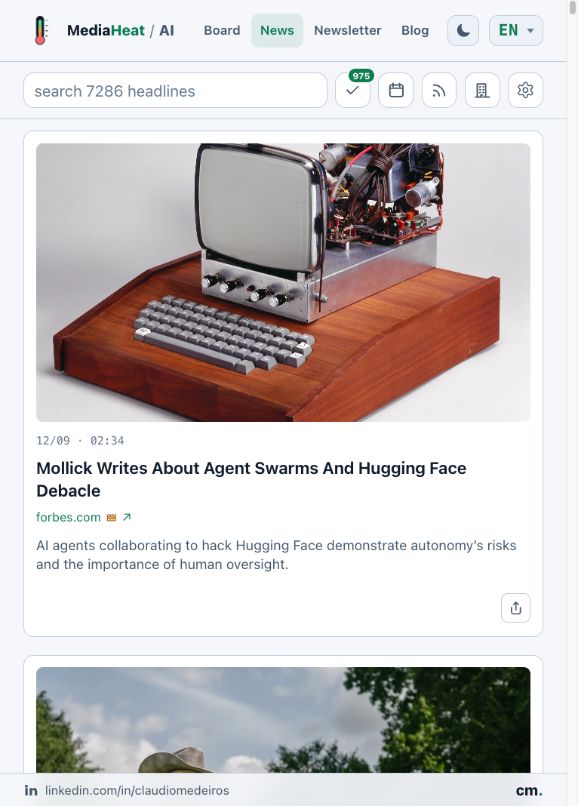
The MediaHeat News Reader holds every headline we collect, not only the handful that reaches the daily board or newsletter. This week, we made that larger archive easier to browse, filter and read in your own way.
The changes are all visible: a cleaner toolbar, three reading layouts, adjustable type, stronger filters, clearer paywall labels and a complete read/unread workflow.
Choose how you want to read
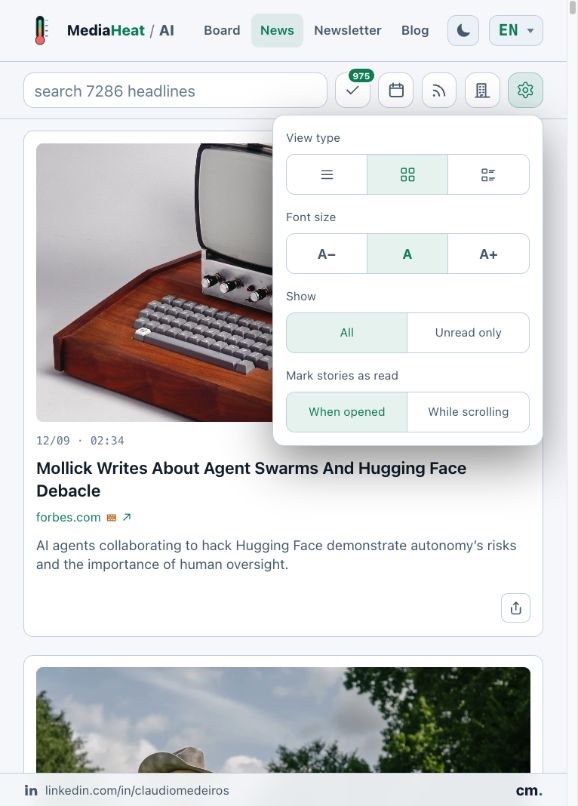
The card view is now the default, giving images, headlines and summaries enough room to breathe. If you prefer a denser screen, open the gear menu and choose between list, cards and card-list views.
The same menu lets you select a smaller or larger font, show only unread stories and decide when a story becomes read: when you open it or as you scroll past it.
Your choices stay saved in that browser.
!The settings menu brings together layout, text size and reading preferences
Find the slice of news you need
The new toolbar keeps search and filters together without filling the screen with labels.
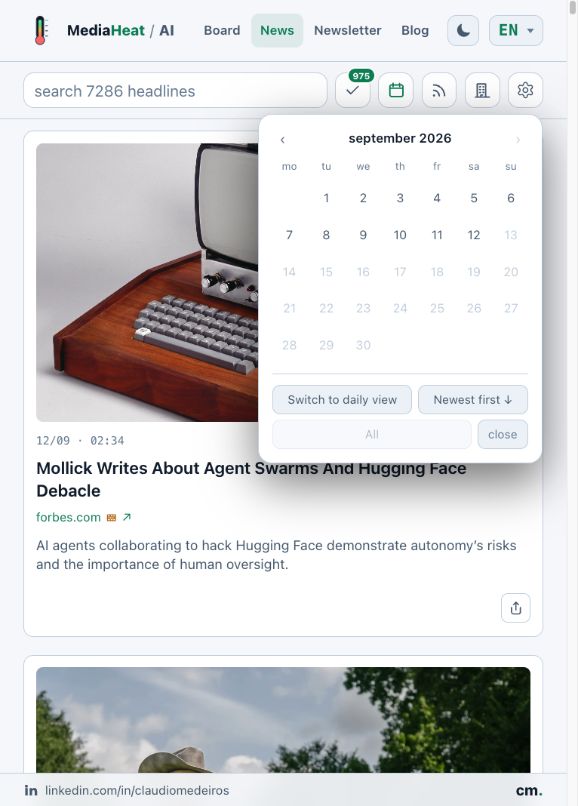
Use the calendar to select a day or period, change between daily and monthly views, and choose newest- or oldest-first ordering.
!The date filter controls period, view and story order
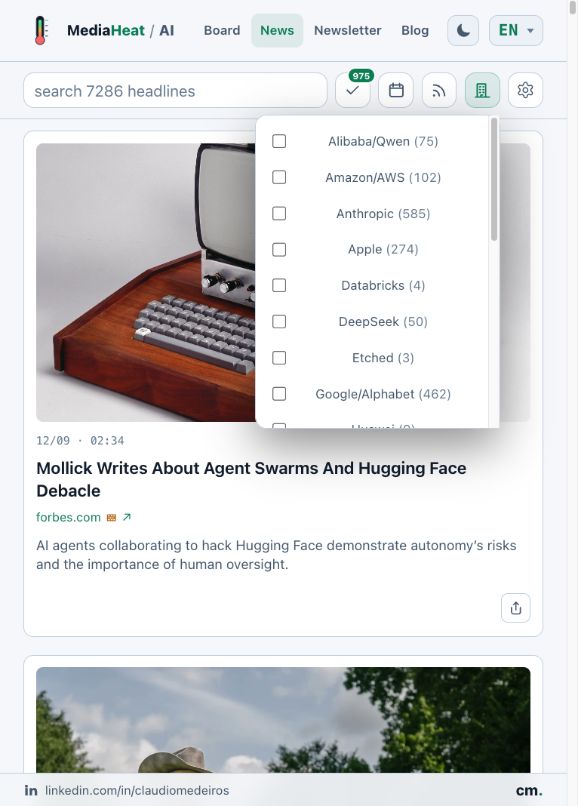
The source and company buttons narrow the archive further. Each option shows how many matching stories are available, and filters can be combined with dates and free-text search.
Looking for recent Anthropic coverage from a particular publisher? Select both filters and the reader does the rest.
!The company filter shows the number of stories available for each selection
Keep track of what you have read
The check-mark button shows your unread count in a small badge. Open it to mark stories as read or unread:
- All stories
- Stories older than one day
- Stories older than one week
These actions respect the filters currently on screen. If you filter for OpenAI and choose “All stories,” only the matching OpenAI stories change.
!The menu lets you mark groups of stories as read or unread
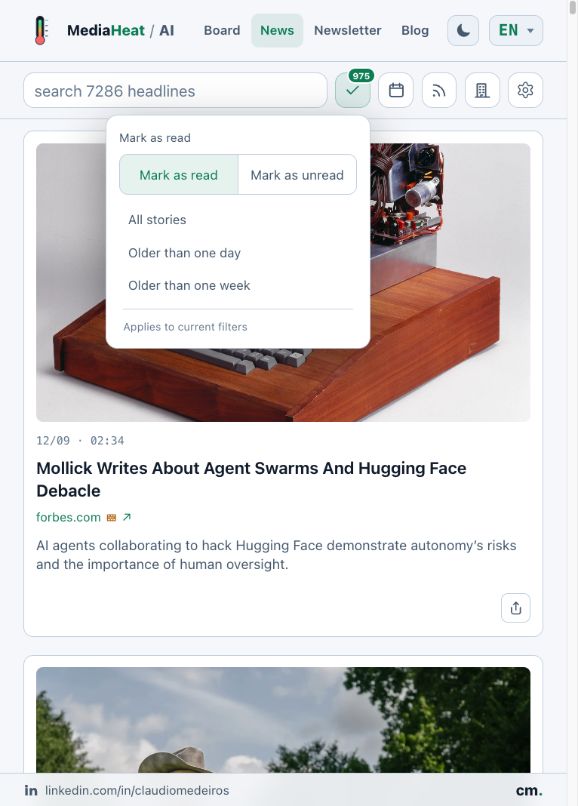
When you finish the unread stories in a filtered view, MediaHeat tells you that you are caught up. From there, you can mark those stories as unread again or return to everything else.
Read state is currently stored in your browser. It survives normal visits and reloads, but it will not follow you to another device or a private window.
Open a story without losing the wider picture
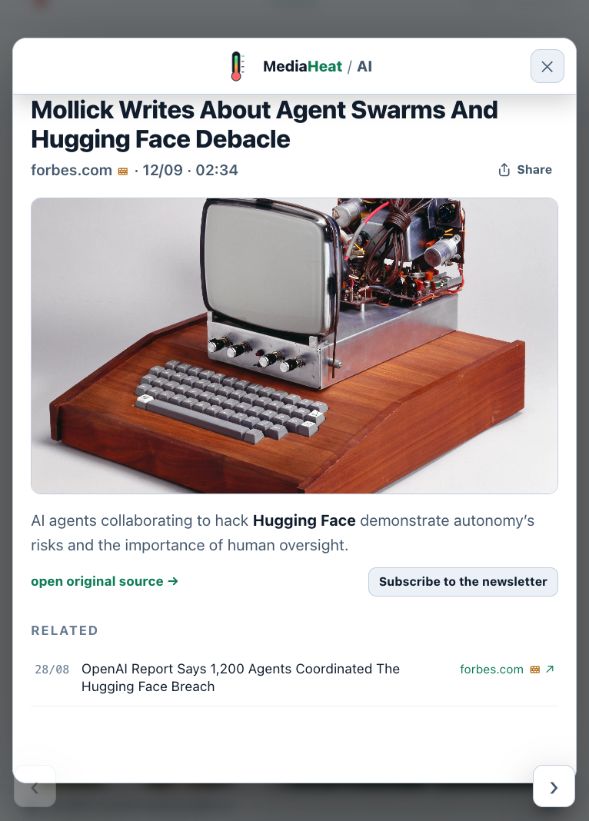
Select any headline to open the full story reader. It keeps the image, source, local publication time, summary and original link together. Paywalled sources are marked before you leave MediaHeat.
Related coverage remains available below the story, while the previous and next buttons let you continue reading without returning to the archive after every article.
!The full reader keeps story details, the original link and navigation together
We also improved image reliability, made dates consistent across views and tightened navigation on both desktop and mobile.
The result is still the same public MediaHeat—no account required—but now it behaves much more like a reader built for regular use.